

Brand Guidelines
A visual identity built around security, protection, stability, and trust in safeguarding digital assets.
About This Guide
These brand guidelines provide a reference for the consistent use and representation of the ICEx Group brand across all touchpoints. They apply to internal teams, partners, media, and vendors using the ICEx Group brand identity. For needs beyond the scope of these guidelines or requests for source files, please contact Brand & Communications.
ICEx Group is an integrated digital financial asset market infrastructure ecosystem that supports trading, clearing, and custody activities in Indonesia within the framework of a Self-Regulatory Organization (SRO) licensed and supervised by the Financial Services Authority (OJK).
Guideline Users
These guidelines are intended for parties that create, use, or display the ICEx Group brand identity, including:
- ICEx Group Internal Teams. Brand & Communications, Marketing, Product, HR, Legal, and other functions that create or use branded materials.
- Partners and Vendors. Designers, production houses, event organizers, printers, web developers, and other external parties producing materials for ICEx Group.
- Media and Institutions. Journalists, business partners, institutions, and organizations that use or display the ICEx Group brand identity in their communications.
How to Use These Guidelines
- Identify the relevant entity. Use the appropriate identity guidelines for ICEx, ICC, or CACI. Each entity has its own logo, colour palette, and usage rules.
- Use official assets. Download and use the official files available in the Downloads. Do not extract or reproduce logos from websites, presentations, screenshots, or other sources.
- Check before publishing. Ensure all materials comply with brand standards before publication.
01 · Brand Architecture
Three Entities, One Design System.
ICEx Group consists of three entities with distinct roles in Indonesia’s digital financial asset market infrastructure. Each entity has its own visual identity and colour palette while remaining part of one consistent design system through a shared typeface, visual principles, and aligned design elements.

Exchange
ICEx
Indonesia Crypto Exchange
Digital financial asset exchange

Custodian
ICC
International Crypto Custodian
Asset custody and safekeeping

Clearing
CACI
Crypto Asset Clearing International
Clearing and settlement
Cross-Entity Rules
- Each entity has its own identity. ICEx, ICC, and CACI each use their own logo and visual identity. Do not combine the three logos into a single logo or create a combined ICEx Group logo.
- Do not mix colour palettes. The logos and identity elements of ICEx, ICC, and CACI must use their respective colour palettes. Do not apply one entity’s identity colours to another entity’s logo.
- Use text to represent the Group. When referring to the three entities collectively, use “ICEx Group” in the corporate typeface. No dedicated ICEx Group logo is required.
- When displaying all three logos together. Arrange the logos in the order ICEx → ICC → CACI, with equal optical height and at least 2X spacing between logos. See Section 5.3 for placement guidance.
02 · Logo
Logo Philosophy
The ICC logo stands for International Crypto Custodian. Two stacked C letters form a padlock silhouette, representing security, protection, and trust at the core of the custodian’s role in the digital financial asset industry.
Green conveys growth, stability, and trust. It reinforces ICC’s role in safeguarding digital assets with integrity and responsibility.



Logo Configuration
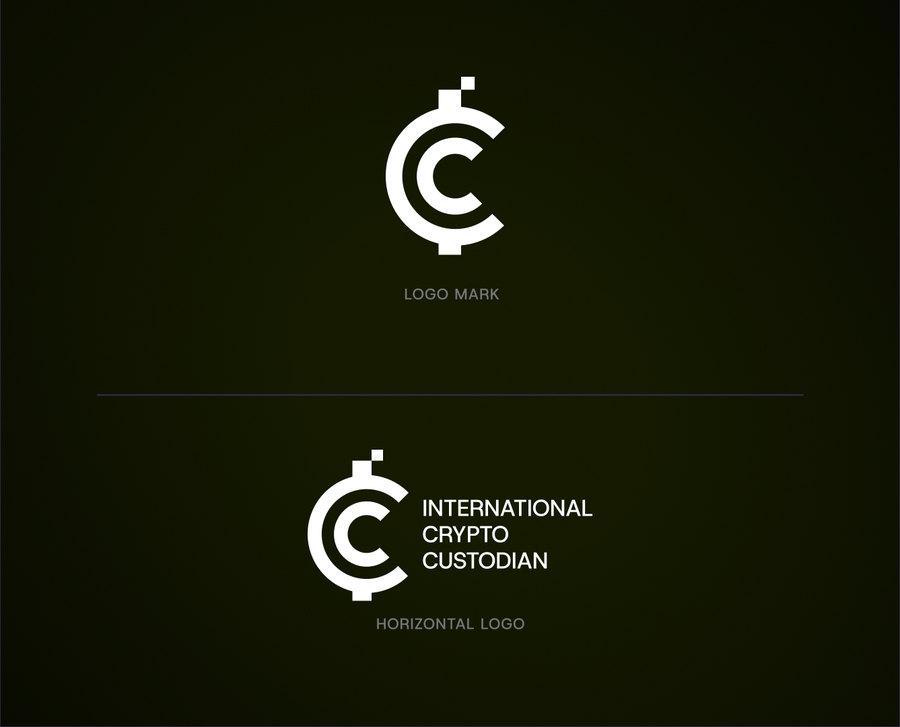
The logo system has two configurations. The horizontal logo is the primary version and should be used whenever space allows.
Use the standalone logomark only for compact applications such as social media avatars, favicons, or materials where the entity context is already clear.
| Configuration | Usage |
|---|---|
| Horizontal logo | Primary version, used whenever space allows. |
| Logomark | Used for compact applications such as social media avatars, favicons, or materials where the entity context is already clear. |

Horizontal logo

Logomark
Logo Anatomy
In the horizontal logo, the logomark is followed by the “INTERNATIONAL CRYPTO CUSTODIAN” logotype set in three lines of uppercase letters.
The logo proportions and spacing are locked in the official logo files. Do not recreate these elements manually.
| Outer “C” | A dark green open ring forming the body of the padlock and the protective field. |
| Inner “C” | A bright lime green open ring placed inside the outer “C” to represent the protected asset. |
| Vertical pixel accents | Squares above and below the logomark that form the padlock shackle while signalling the digital nature of the stored assets. |

Clear Space
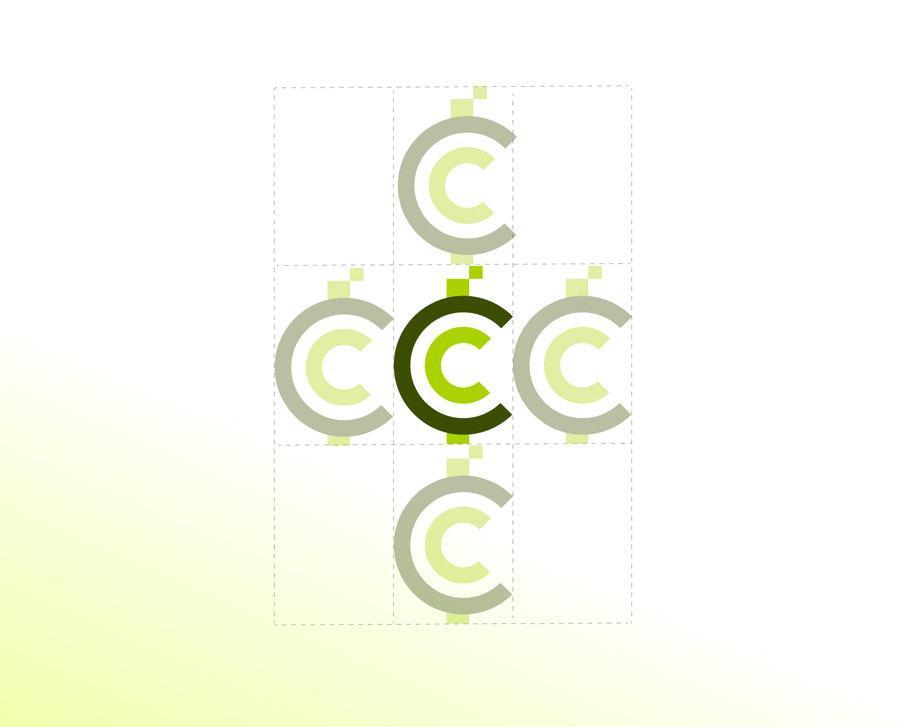
Clear space is the minimum area surrounding the logo. No text, image, line, or media edge may enter this area.
The unit is the logomark height, defined as 1X. Because it scales with the logo, this rule applies at every size.
Minimum Size
Below the minimum size, logo details are lost and legibility decreases. If the available space is smaller than the minimum horizontal logo size, use the logomark.
| Media | Logo Horizontal | Logomark |
|---|---|---|
| Digital (Width) | 140 px | 32 px |
| Print (Width) | 30 mm | 8 mm |
| Signage and Large Formats | Based on viewing distance, min. 150 mm | Based on viewing distance, min. 40 mm |
03 · Colour
ICC Colour Palette
CMYK values are reference conversions. For spot-colour printing or special materials, request a colour proof from Brand & Communications before production.
King Lime
#A9D200
RGB 169, 210, 0
CMYK 20, 0, 100, 18
Accent and inner logomark elements
Topiary Green
#5B7900
RGB 91, 121, 0
CMYK 25, 0, 100, 53
Primary logo and headline colour
Godzilla
#3A4D00
RGB 58, 77, 0
CMYK 25, 0, 100, 70
Dark backgrounds and solid colour fields
Lime Flash
#CDFF00
RGB 205, 255, 0
CMYK 20, 0, 100, 0
Bright accent for digital media
White
#FFFFFF
RGB 255, 255, 255
CMYK 0, 0, 0, 0
Primary background and reverse logo
Black
#000000
RGB 0, 0, 0
CMYK 0, 0, 0, 100
Text and single-colour logo
03 · Colour
Backgrounds and Reverse Version
Choose the logo version based on contrast, not preference. The logo must always remain clearly legible and feel integrated into the composition.
Use the full-colour logo on white or light backgrounds.
Use the solid white reverse version on colours with a density of 30% or higher.
Choose the flattest, highest-contrast area. Add a solid panel or dark overlay when needed.
Use the reverse version on the darkest or lightest side, not in the transition area.
03 · Application
Recommended and Prohibited Uses
Recommended
- Use official files from the brand asset library.
- Use the full-colour logo on light backgrounds and the white reverse logo on dark backgrounds.
- Scale proportionally from a corner.
- Maintain a minimum clear space of 1X on all sides.
- Ensure sufficient contrast over photos or multicolour backgrounds.
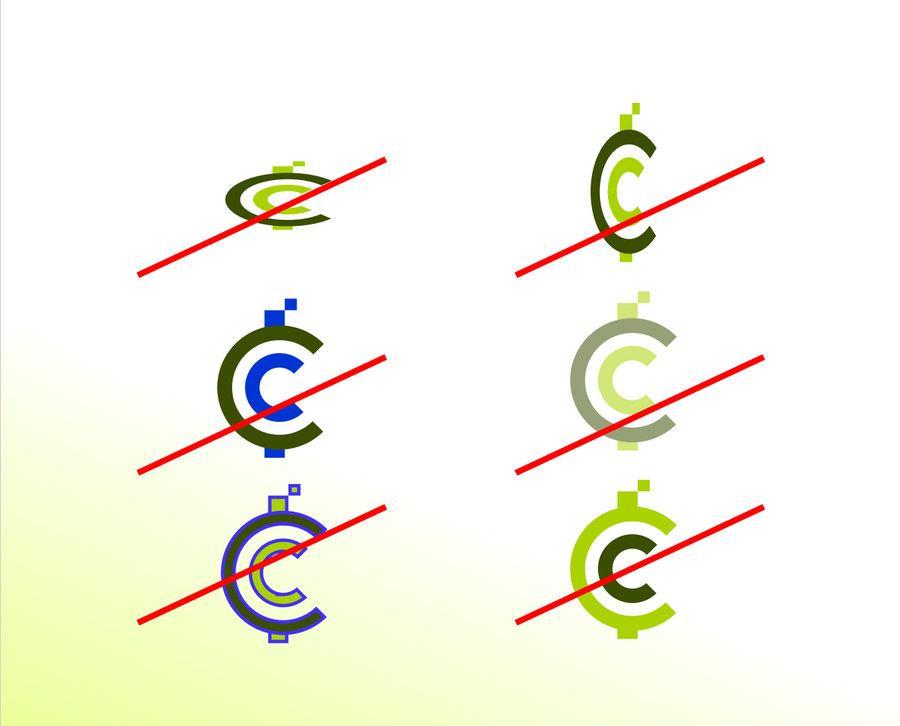
Prohibited
- Changing the logo’s colour, proportions, skew, or rotation.
- Adding outlines, shadows, gradients, or other effects.
- Rearranging or redrawing logo elements.
- Placing the logo on a busy background without sufficient contrast.
04 · Typography
Host Grotesk
The ICEx Group corporate typeface has a clean, modern, and structured character that ensures legibility, consistency, and credibility across digital and print media.
Aa
ABCDEFGHIJKLMNOPQRSTUVWXYZ · 0123456789
| Role | Weight | Digital | Usage | |
|---|---|---|---|---|
| Display | Bold | 36–60 pt | 40–64 px | Covers, large titles, key visuals |
| Headline | Bold | 20–28 pt | 28–36 px | Section titles |
| Subhead | Medium | 14–16 pt | 20–24 px | Subheadings and introductions |
| Body | Regular | 9–11 pt | 16–18 px | Primary body copy |
| Caption / Label | Regular / Medium | 7–8 pt | 11–14 px | Captions, notes, uppercase labels |
Usage Rules
Maximum of three levelsKeep the hierarchy clear without making materials feel cluttered.
Left alignedAvoid full justification and uneven word spacing.
No decorative effectsDo not use strokes, shadows, or outlines.
60–80 charactersMaintain an ideal line length for body copy.
Alternative typefaces
Use Arial for office documents, email, and internal presentations. Use Inter, followed by the system sans-serif, on the web when Host Grotesk fails to load. Print vendors must contact Brand & Communications before replacing the typeface.
05 · General Logo Usage
One system for ICC, ICEx, and CACI materials.
Logo Placement
Place the logo in a corner, at least 1X from the edge. Display it once and let the information hierarchy determine its size.
Photography and Video
Choose a flat area. Use a 40% dark overlay when contrast is weak. In video, display the logo for at least three seconds without distorted animation.
Co-branding
Separate logos with a vertical line and 2X spacing. Match their optical height. All lockups require written approval.
File Formats
SVG for websites and applications. PNG with transparency for documents, presentations, and social media.
Media and Third Parties
The ICEx Group logo may only be used for approved coverage, publications, or collaborations. Its use must not imply endorsement, sponsorship, partnership, or affiliation that has not been officially agreed.
Use of the logo for promotion, marketing, or endorsement of third-party products and services requires approval and must be based on a valid written agreement.
06 · Assets and Contact
ICC Asset Library
Download official ICC logos and assets for digital and print use.
Brand & Communications
Need files, approval, or assistance?
For brand-related needs, contact the Brand & Communications team, including for:
- Logo files and brand assets
- Co-branding and third-party logo usage
- Questions about the brand guidelines
- Material review and approval
- Reporting brand use or misuse